From a Simple Image to a Story: Bringing Pencil and Laptop to Life with AI
IDEA Guiding Principles: GROW + SHARE + INSPIRE

From One T1 Line to AI Assistants: Creating, Making, Storytelling
When I started my career, one T1 line brought the Internet into our school building. We didn’t have email accounts. My mother couldn’t figure out how to use the Internet without starting with AOL. In classrooms, we were just beginning to use giant video discs instead of filmstrips.
I think about that starting point when I experiment with the tools available today. Recently, I took two cartoon characters through a process that included illustrations, a short story, animated video, 3D models, and an iMovie project called “The Meeting | Pencil and Laptop.” Along the way, I worked with AI assistants that could both generate content and carry out editing steps on my computer.
Automation made individual steps easier
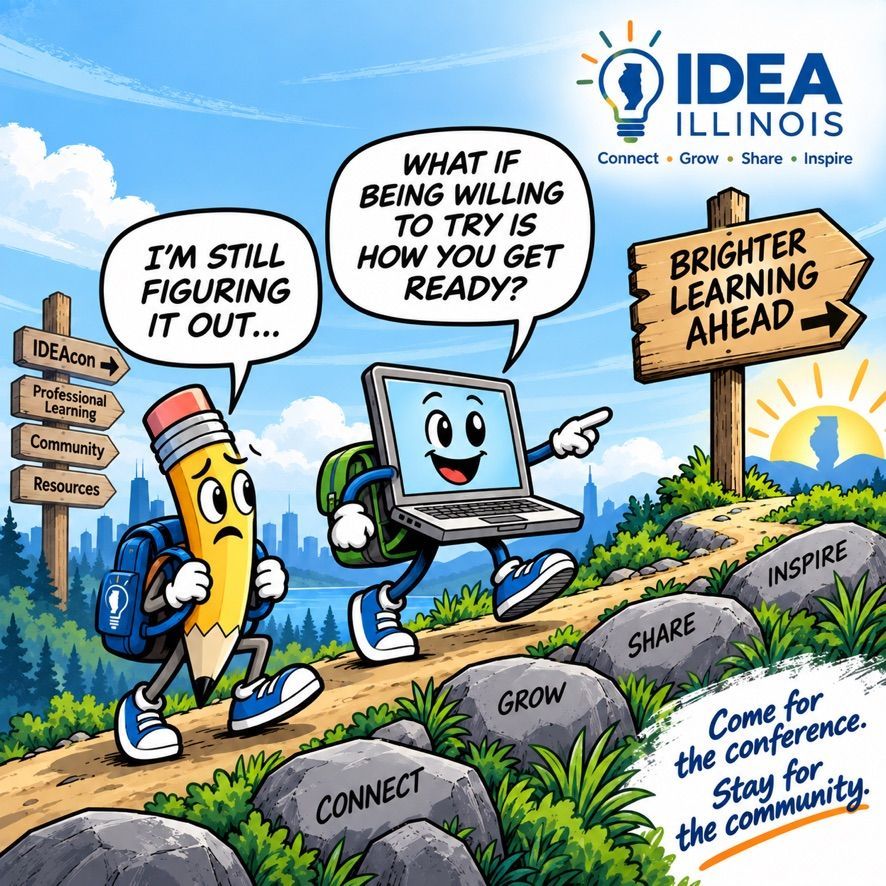
Autonomy allowed the tools to carry out sequences of actions. But I kept guiding the direction, evaluating the results, and deciding what needed to change. The project began with an illustration featuring a pencil and a laptop walking uphill, complete with backpacks, sneakers, and expressive faces. I asked ChatGPT to “extrapolate the pencil character and laptop character and convert them into an asset,” then emphasized, “Keep them as close to the original as possible!”
Next, I asked for “a short commercial story for IDEAillinois.org with the pencil and laptop as the main characters. The concept, “Forward Together,” showed Pencil struggling with the climb and Laptop offering support as they passed stepping stones labeled Connect, Grow, Share, Inspire. I then asked to condense it to ten seconds, pushing the story toward one clear moment about moving forward together.
There’s more to this story than made it into the final video.
I was having fun exploring the possibilities, but it was late, and I was running out of steam.
Adding movement and building the scene
I used Adobe Firefly to animate the character imagery, directing the movement through prompts describing a slow zoom, slight background movement, soft natural lighting, and gentle motion. The reference image established the appearance; the prompt guided what happened within the scene. I still needed to review whether the animation preserved the characters and served the story. I had to judge whether the movement supported the story and whether the characters still looked like themselves. Generating motion was one step; deciding whether it worked to tell the story was mine.
Back in ChatGPT, I asked for an image of Pencil, Laptop, and the IDEA lightbulb meeting at the park. The first version did not get the IDEA logo right, so I supplied the actual artwork and directed a correction. Later, I asked for a new scene in which Pencil asks the IDEA logo when Laptop will arrive at the park. That image eventually became the background for the opening title. These revisions were part of the creative work. I had to recognize the difference between something that looked appealing and something that matched my intent. A polished image with the wrong logo still needed to be corrected.
Moving into 3D and assembling the movie
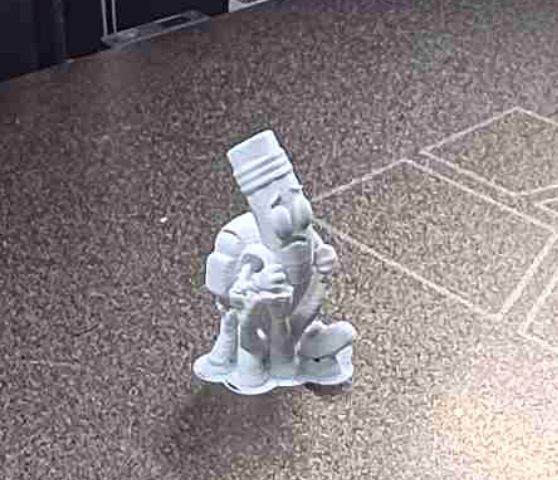
I also sent the character images to Meshy.ai, which created textured 3D versions of Pencil and Laptop as GLB files. This extended the project beyond illustrations and video into objects that could be explored from different angles.I’m still working out how to embed the models so readers can explore them in 3D.
For the movie, I asked ChatGPT to work directly in the open iMovie project, add the park image at the end, and include music. I then requested a title slide called “The Meeting | Pencil and Laptop.” After creating the image of Pencil talking to the IDEA logo, I gave another specific direction: “I want this to be the background for the opening title in iMovie. Can you change that?” The opening now uses that image behind the four-second title, followed by the animated clip and closing park image, with music accompanying the later portion.
This was where autonomy became especially tangible. My assistant could work through production steps inside an application, while I continued to determine the content, appearance, and changes I wanted.
Automation with continual human direction
For me, this was the opposite of cognitive offloading. I was actively shaping the work throughout the process: choosing the characters, defining the message, shortening the story, checking consistency, correcting the branding, and deciding how the pieces should come together. Cutting the story to ten seconds meant deciding what mattered most. I wanted to preserve the idea of moving forward together without squeezing too much into a short clip. The tools were my AI assistants. Their ability to execute gave me more room to focus on creative decisions.
The video needs a lot of work. But in just an hour,
I learned how to bring it all together. That’s learning in action.
There was a constant back-and-forth between my direction and what the tools produced. I’d delegate a task, review the result, and adjust my next instruction. When something missed the mark, I had to figure out why and explain what needed to change. When a new possibility emerged, like turning the characters into 3D assets, I decided whether to explore it. I kept experimenting, learning, and imagining what else I could create, even as I stayed up well past my bedtime.
RECENT ARTICLES